

Snapps
Auto-publish articles to your Snapps site with your Site ID and API key — set up in minutes.
Connect Snapps once and every new article publishes to your Snapps site automatically.
Set it up
Open your Snapps dashboard
Log in to Snapps and open the site you want to publish to. Each Snapps account supports one connected site — make sure you're copying details for the right one.
Copy your Site ID and API key
In your Snapps dashboard, go to My Sites and copy the Site ID next to your website, then go to Settings → API and copy your API key.
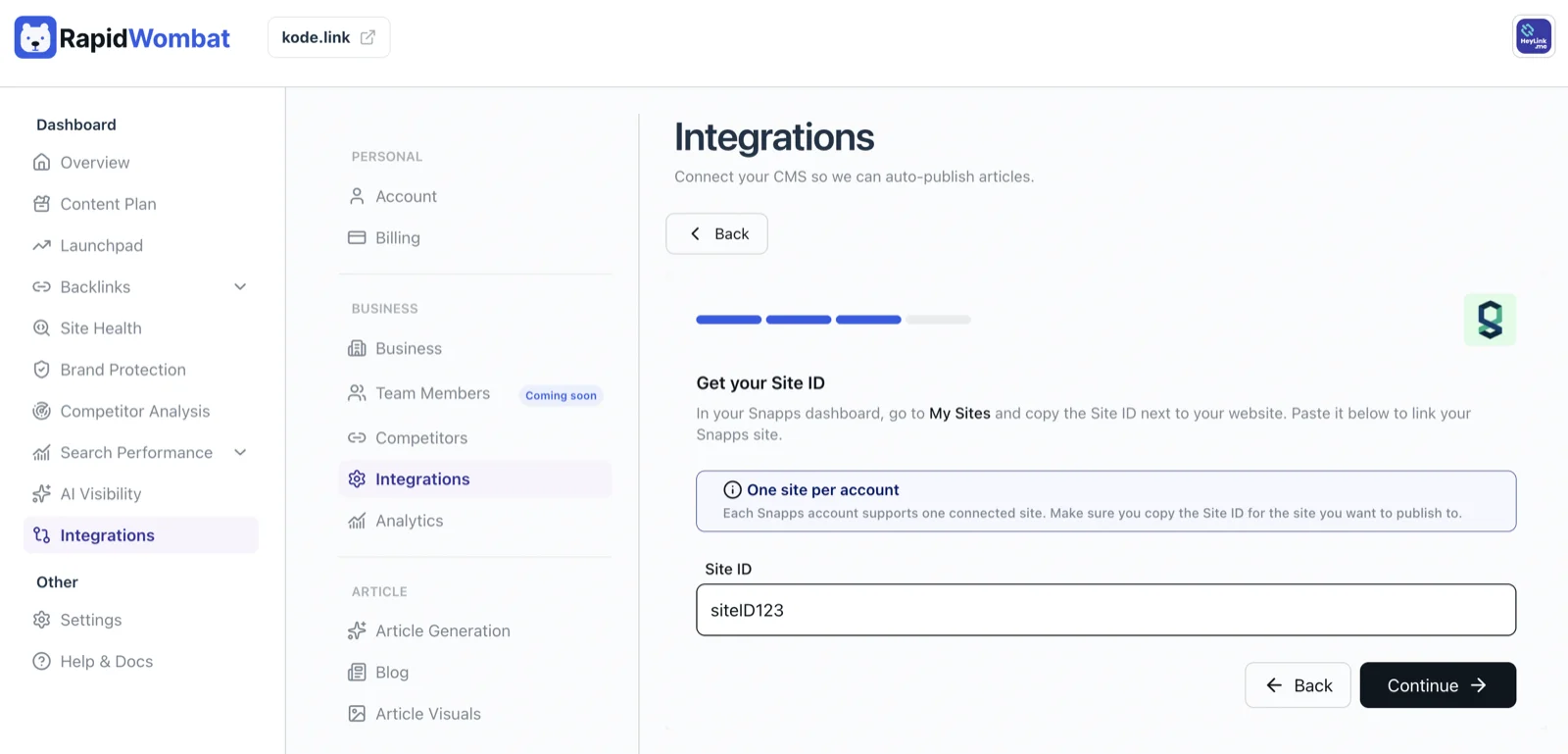
Connect in RapidWombat
In Settings → Integrations, click Connect on the Snapps card and paste both values. The author field is optional — leave it blank to use your Snapps account default.
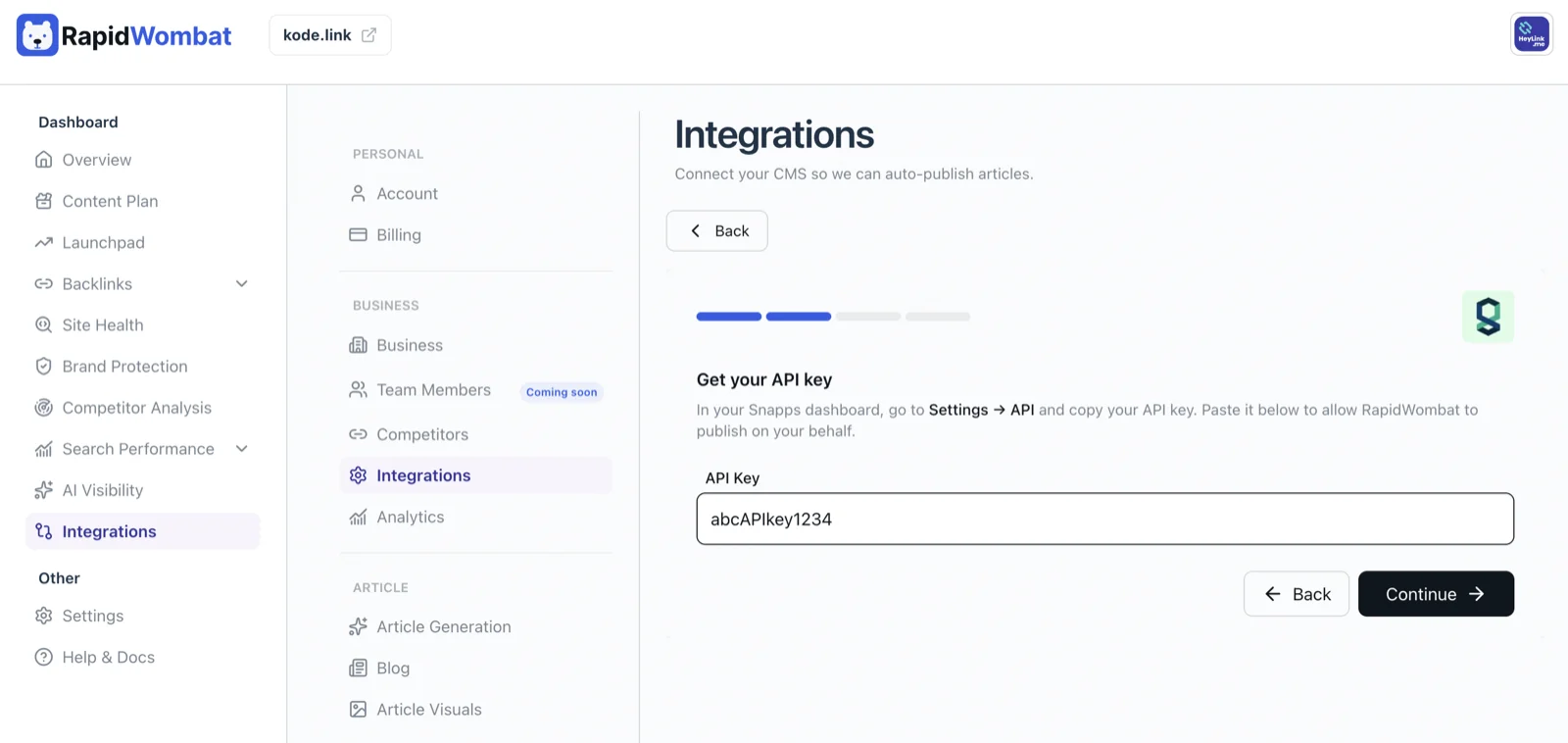
Choose a publishing mode
Pick Publish Immediately or Save as Draft, then click Connect.
Managing the connection
Use Edit on the Snapps card to update details, or Delete to disconnect. Published posts stay on your site.