

GoHighLevel
Auto-publish articles to a GoHighLevel blog with an access token and your location ID.
Connect GoHighLevel once and every new article publishes to the blog you choose in your location.
Set it up
Prepare your GoHighLevel blog
Make sure a blog is set up in the GoHighLevel location you want to publish to.
Create an integration in GoHighLevel
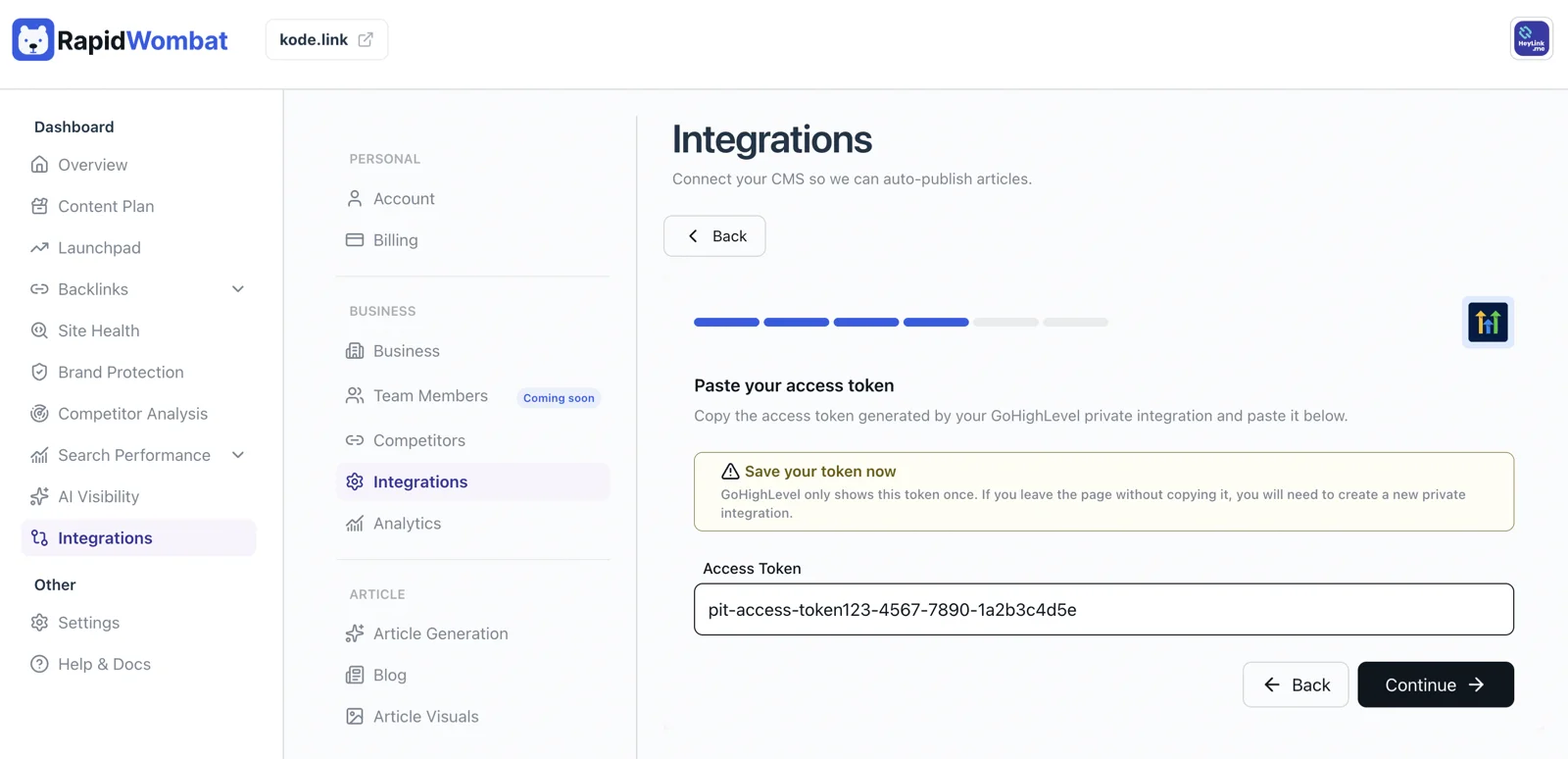
In your GoHighLevel settings, create an integration with blog-publishing scopes enabled, and copy its Access Token.
Connect in RapidWombat
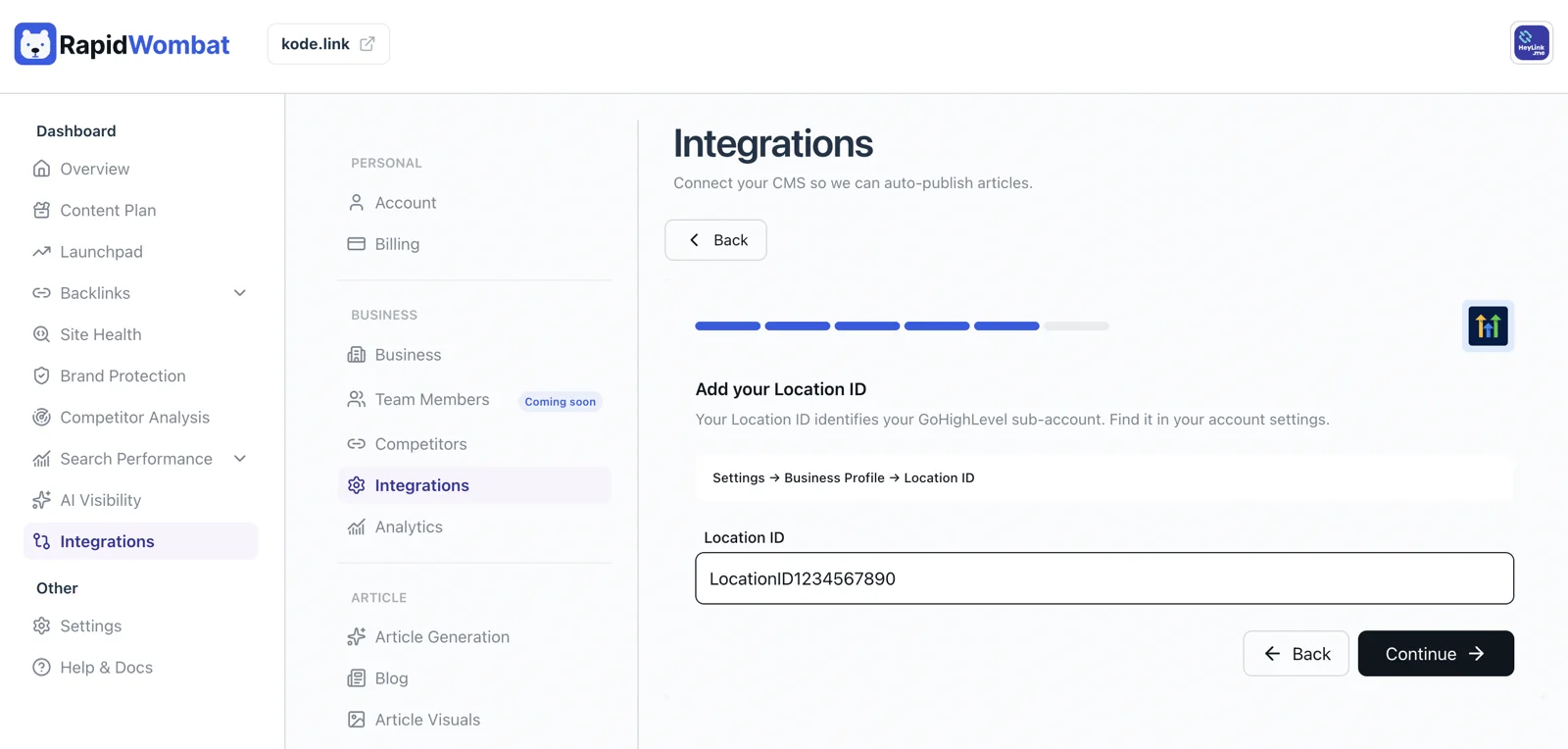
In Settings → Integrations, click Connect on the GoHighLevel card and paste the Access Token, then your Location ID — find it in GoHighLevel under Settings → Business Profile. RapidWombat fetches the blogs available in that location.
Pick a blog
Select the target Blog, choose live or draft publishing, and click Connect.
Managing the connection
Use Edit on the GoHighLevel card to update the token or blog, or Delete to disconnect. Published posts stay in GoHighLevel.