

Conversion & CRM Engine
Turn anonymous visitors into contacts you can email, nurture, and sell to.
Traffic is rented; an email list is owned. Every visitor who leaves without giving you a way to reach them is gone for good — and most visitors never come back unscheduled. The four items in this category build the pipe that captures contacts, keeps your messages out of spam, and gives new subscribers a reason to remember you.
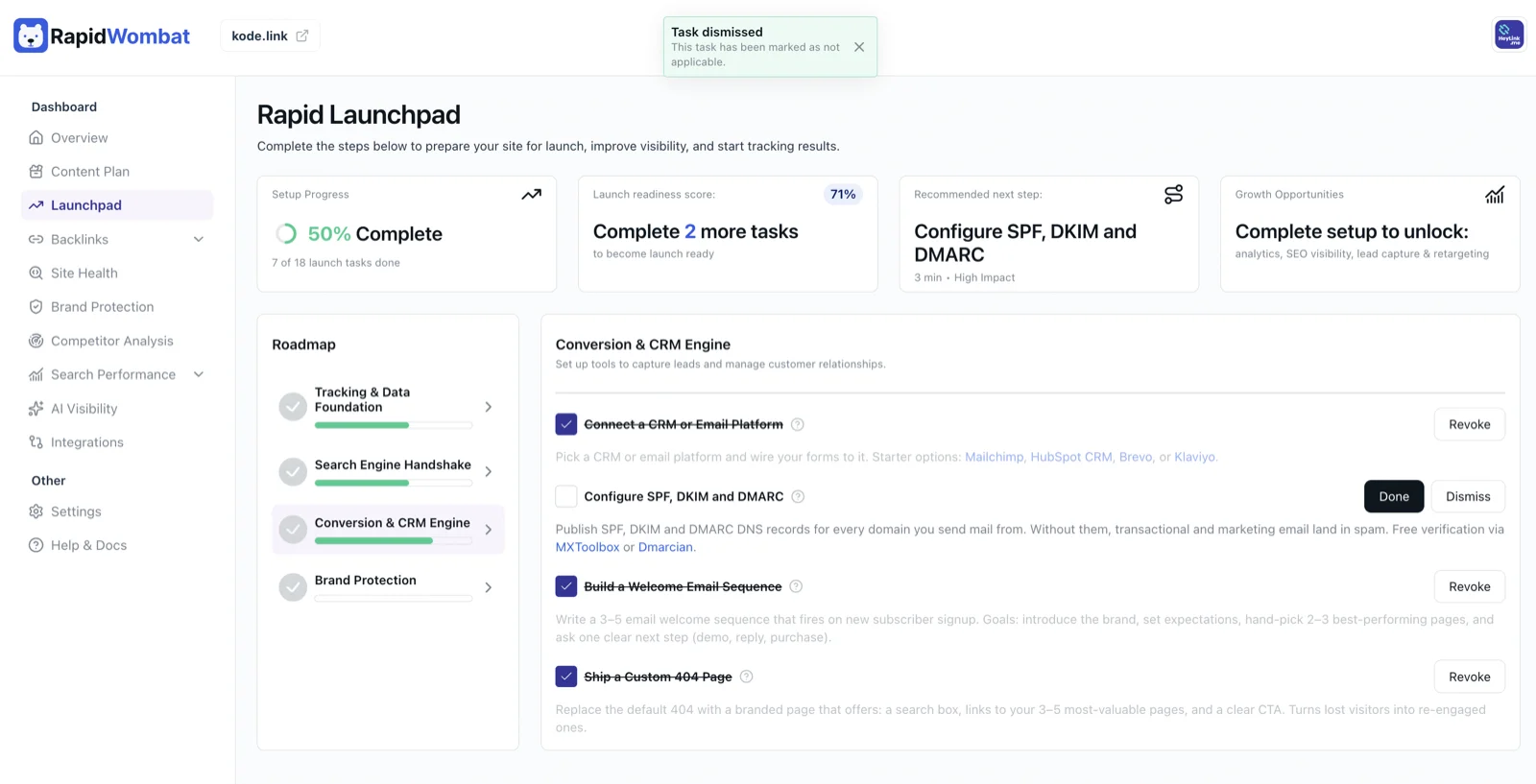
Connect a CRM or Email Platform
A CRM (Customer Relationship Management) or email marketing platform is where the people who give you their email address actually live. It's the system that stores your contacts, sends your newsletters, and tracks who opens and clicks. Without one, the forms on your site collect names into a black hole — or worse, just email you each submission with no way to follow up at scale.
For a B2C site (newsletter, ecommerce, content brand), Mailchimp or Brevo are forgiving starters with generous free tiers. For ecommerce specifically, Klaviyo has the deepest integrations with Shopify and the highest revenue ceiling. For B2B sales, HubSpot CRM is free and the de-facto standard. Pick one, then wire every form on your site to send submissions into it — either with the platform's native form builder, a Zapier connection, or your site builder's built-in integration. You're done when you can submit your own contact form and find yourself as a new contact inside the platform.
Configure SPF, DKIM and DMARC (Priority)
These three acronyms are email's anti-impersonation system, and ignoring them is the single biggest reason real businesses end up in customers' spam folders. SPF says which servers are allowed to send mail for your domain. DKIM cryptographically signs your emails so recipients can verify they weren't forged. DMARC tells inboxes what to do with messages that fail those checks. Without all three, Gmail and Outlook will increasingly reject your emails outright — Google made DMARC effectively mandatory for senders in early 2024.
Set them up wherever you manage DNS for your domain. Your email platform — Mailchimp, Brevo, Google Workspace, whoever — has a setup wizard that gives you the exact records to paste in. Add them once, and every domain you send mail from (your main domain plus any sending subdomains) is protected. Verify the result with MXToolbox or Dmarcian — both are free. You're done when both tools show all three records present and aligned, and your test emails land in the inbox rather than spam.
Build a Welcome Email Sequence
The 24 hours after someone subscribes is the single best window you'll ever have to make an impression — open rates on welcome emails average 3 to 5 times higher than on later newsletters. A welcome sequence is a small series of 3 to 5 automated emails that fires when a new subscriber signs up, designed to introduce the brand, set expectations for what they'll receive, and gently move them toward one clear next step.
Inside your email platform, create an automation (sometimes called a "journey" or "flow") triggered by new subscriber signup. A simple structure: email 1 (sent immediately) — welcome them and confirm what they signed up for. Email 2 (day 2) — hand-pick your two or three best-performing pages and tell them why those are worth reading. Email 3 (day 4) — share the story behind the brand. Email 4 or 5 (day 7) — make one clear ask: book a demo, reply with a question, buy a starter product, follow on social. You're done when you sign up to your own list with a clean test email and watch all the emails arrive on schedule.
Ship a Custom 404 Page
When someone clicks a broken link or mistypes a URL on your site, they hit a "404 — page not found" screen. The default version most websites ship looks like a system error and sends visitors straight back to Google. A branded 404 page turns that dead-end into a second chance to keep them engaged.
A good 404 has four elements. One: a friendly, on-brand message acknowledging the page is missing — humor is welcome here. Two: a search box so they can hunt for what they actually wanted. Three: links to your three to five most-valuable pages — the homepage, your top blog posts, your pricing or product page. Four: one clear call-to-action, like "subscribe to the newsletter" or "browse the latest articles". Most modern site builders have a designated 404 page template you can edit; if yours doesn't, your developer can wire one up in an hour. You're done when typing a fake URL on your site (e.g. yourdomain.com/asdfgh) lands on the branded version, not the default.
Next: Brand Protection — lock down your name and reputation across the web.