

Dashboard
Articles
Review, edit, and publish individual articles in the built-in editor.
Pro feature. Free accounts see a blurred preview — see what's included in each plan.
Open any article from the Content Automation to land on its editor view. You get a full WYSIWYG editor with the article body and a sidebar for view, publish, and export controls.
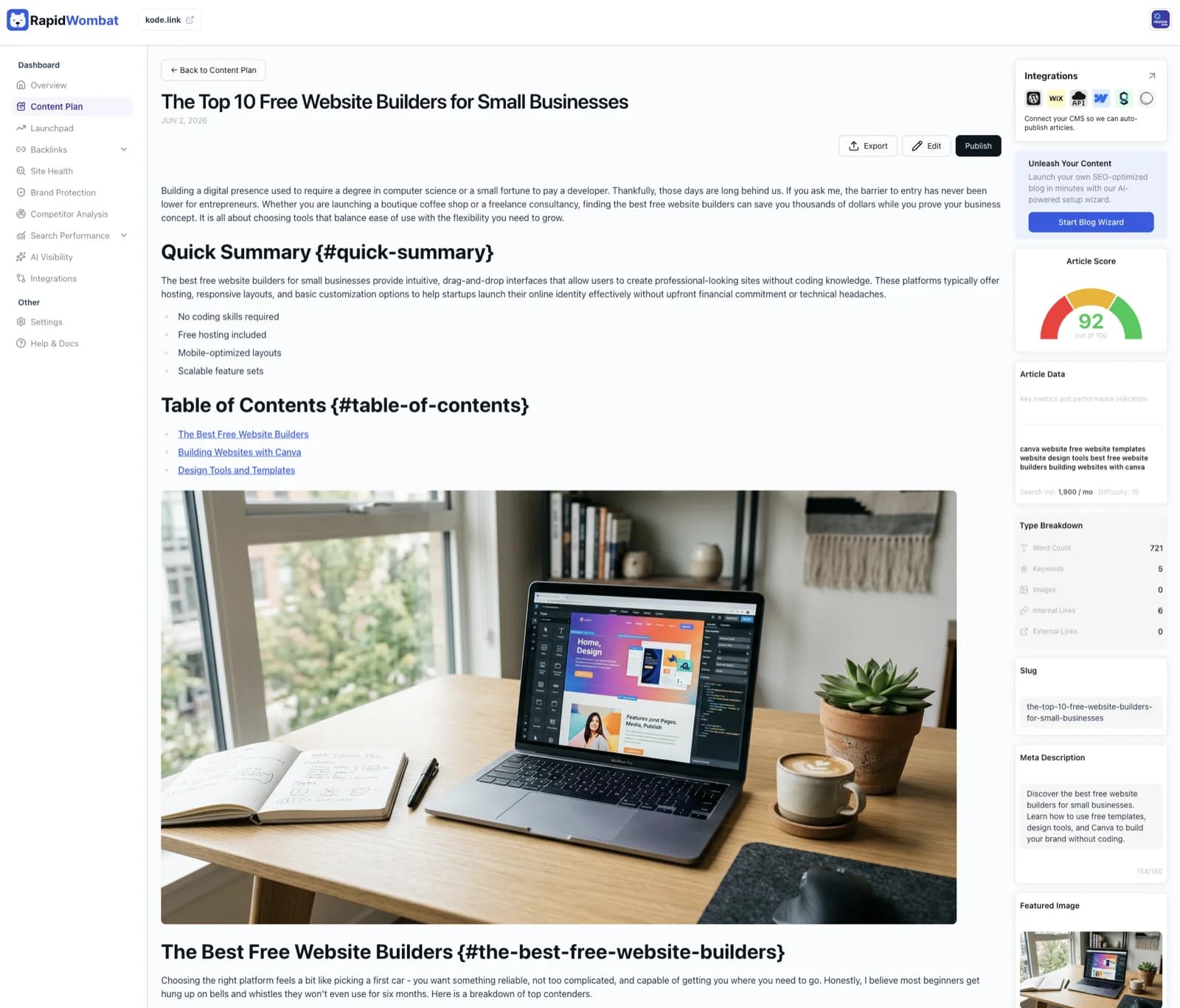
In the editor
- Rich text editing with full Markdown support
- Inline image management
- Headings, lists, tables, quotes, and code blocks
- Edits save automatically
In the sidebar
- View — preview the rendered article
- Publish — push to your connected platform (set up an integration)
- Export — download the article as Markdown or copy it to your clipboard
You can edit the title, body, SEO snippet, and publish state. The SEO score and keyword data are calculated automatically — they're there to inform your edits, not to be edited directly.