

Dashboard
Content Automation
Browse, filter, and edit the articles RapidWombat plans, writes, and publishes for you.
Pro feature. Free accounts see a blurred preview — see what's included in each plan.
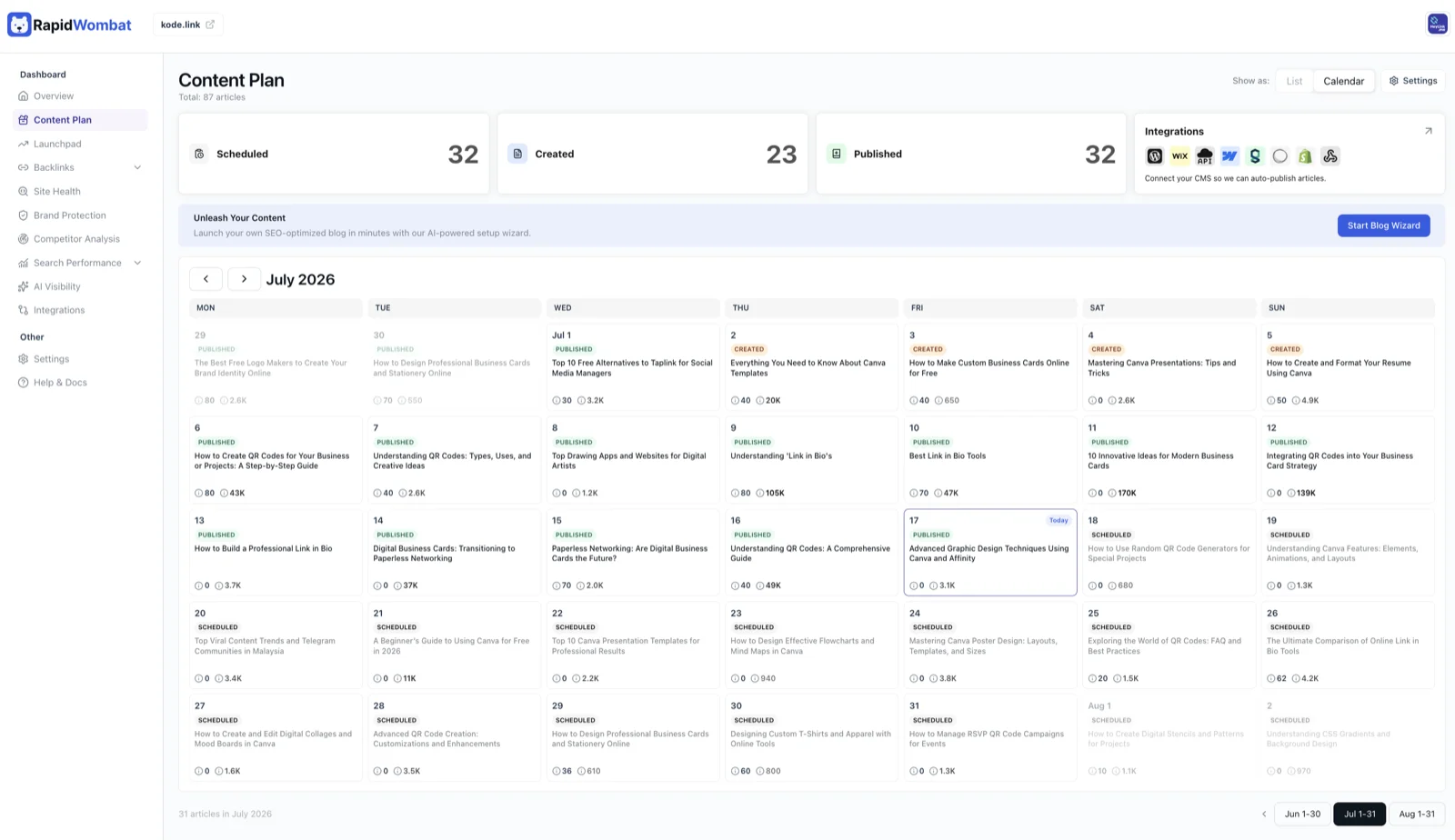
Content Automation is your AI article calendar. RapidWombat plans, writes, and schedules articles for you, and publishes them automatically once you connect your CMS.
What you can do
- Switch between List and Calendar views (the calendar needs a wide screen)
- Click the Scheduled, Created, or Published cards to filter by status
- Filter by type — How To, Explainer, Listicle, and Product Listicle / Comparison — or search by title
- Use Edit Details on a scheduled article to change its title, summary, or keywords
- Track this month's output in Monthly Progress and your content mix in Type Breakdown
- Open Generation Settings to adjust how articles are written, in Article Generation
Choose View Article on any article to open it in the editor.
Article statuses
| Status | What it means |
|---|---|
| Scheduled | Planned — the topic and keywords are set, but the article isn't written yet |
| Generating | The article is being written right now |
| Created | Written and ready to publish |
| Published | Live on your site (or marked published if you exported it manually) |