Settings
Account
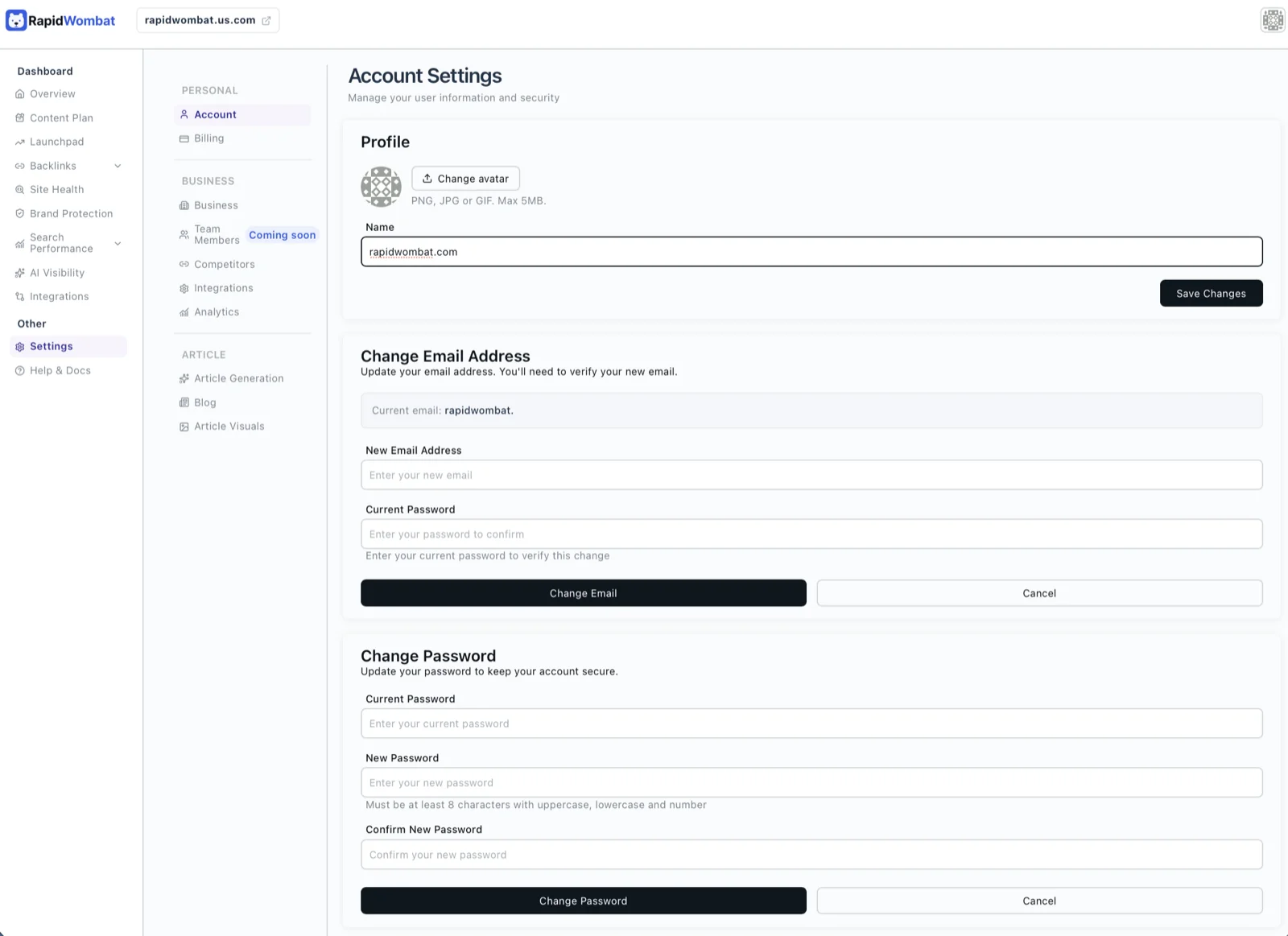
Update your profile, email, and password.
The Account page is where you manage everything tied to your user record.
- Profile — name and avatar
- Change email — sends a verification link to the new address; the change takes effect once you click the link
- Change password — requires your current password
If you signed up with Google or Facebook, the password field is hidden. Disconnect the social account first if you want to switch to email + password.
Two-factor authentication
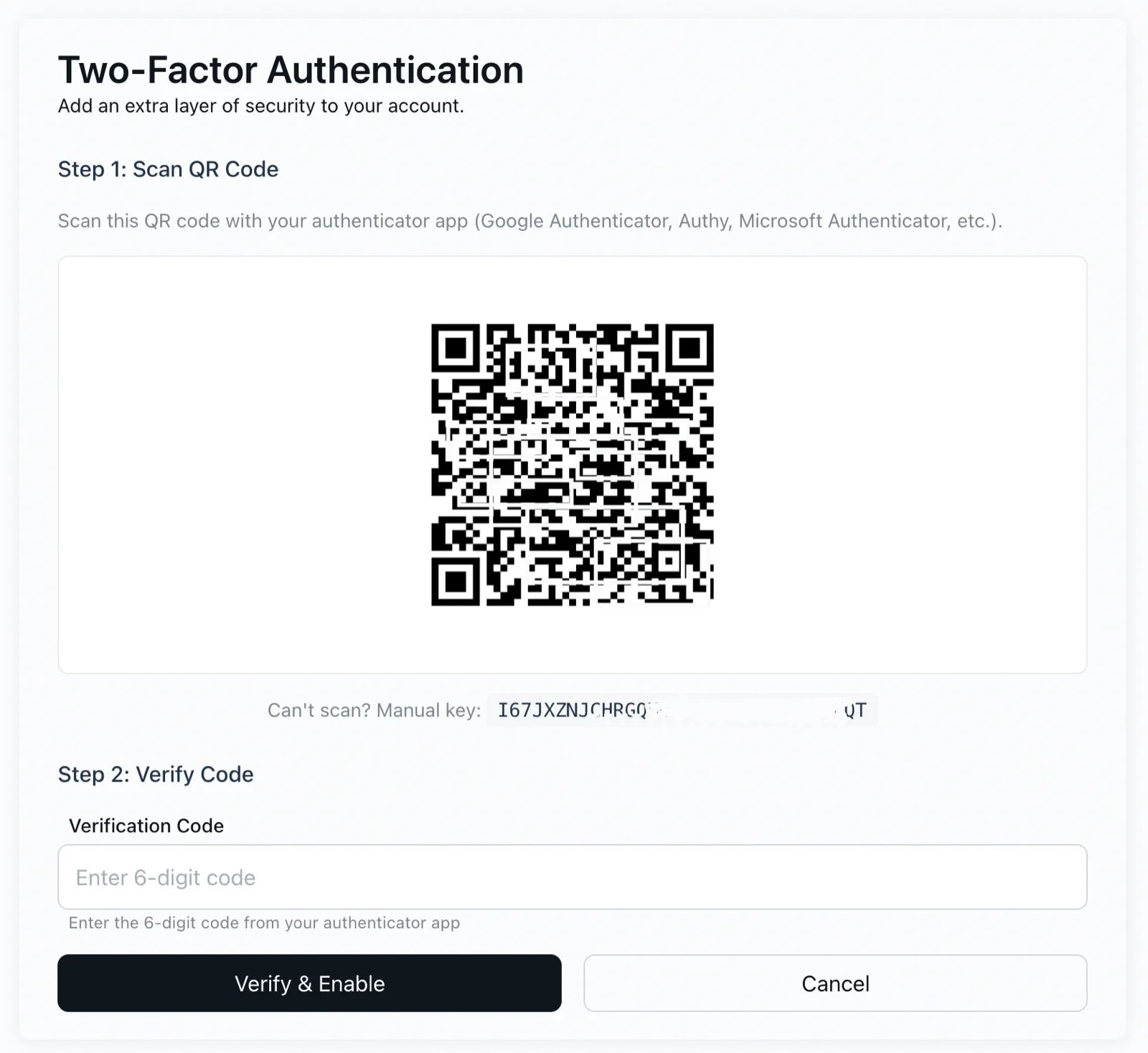
Add an extra layer of security: with 2FA on, signing in requires a 6-digit code from your authenticator app.
- Click Enable on the Two-Factor Authentication card.
- Scan the QR code with your authenticator app (Google Authenticator, Authy, Microsoft Authenticator, etc.) — or enter the manual key if you can't scan.
- Enter the 6-digit code from the app and click Verify & Enable.
Recovery codes are generated during setup — store them somewhere safe; they're your way in if you lose the device. You can turn 2FA off from the same card at any time.